Monday, 26 November 2012

Check that Form Out (or in) Automatically! in Infopath 2010 using Web Services

Following are the steps to create Check-in and Check-out Infopath form:

1. Create one Infopath Form.
2. Add Data Connection, select "Recevice Data" then next.
3. Select "SOAP  Web Service", next,
4. Enter the location like (http://server-name/_vti_bin/Lists.asmx ), next,
5. Select "CheckIn", next. ok ( Same steps for "CheckOut").
6. Add Form Library Data Connection, select "Recevice Data" then next,
7. Select "SharePoint Library or List", next,
8. Enter the location like ("http://server-name/CheckInOutLib/Forms/AllItems.aspx"), next
9. Select the check box of "Check_Out_To" and "Include data for the active form only", next
10. then Ok.

Add some controls in infopath form:-
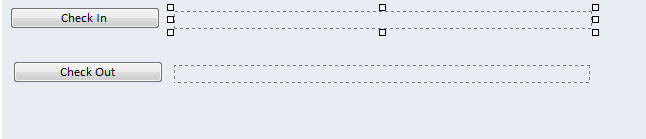
1. Two buttons for event fire( Check-in and Check-out)
2. Two Text for message (MessageCheckin and MessageCheckout)

Process of Call or Use for web service:

1. Right click, CheckOut  Buttton and add Rule "Action" equal
       Conditions:               
                          AccountID is blank ( CheckOutFile )
                          Title is not blank ( CheckInOutLib )
       Rule Action:
                        PageUrl is concat("http://server-name/CheckInOutLib/", Title, ".xml")     
                        checkoutToLocal is true()
                        Query for data (CheckOutFile)
                        Query for data (CheckInOutLib)
                         MessageCheckOut is concat(DisplayName, "is check out the form")

2. Right click, Check-In Button and add Rule "Action" equal
                        PageUrl is concat("http://server-name/CheckInOutLib/", Title, ".xml")     
                        comment is "Form is check In"
                        CheckinType is 2
                        Query for data (CheckInFile)
                        Query for data (CheckInOutLib)
                         MessageCheckOut is concat( "the form is Check In")
Monday, 19 November 2012

Export list or library into Excel using JavaScript

Using JavaScript, List or Libaray Items export to Excel

Add one Content Editor in ur pages:

<script language="javascript" src="/sites/web/SiteAssets/JS/Export.js"></script><input class="ms-rteThemeBackColor-5-4" onclick="exportToExcel();" type="button" value="Export"/>

function exportToExcel()
{
var strTableID = "onetidDoclibViewTbl0";
var detailsTable = document.getElementById(strTableID);
var columns = detailsTable.getElementsByTagName("th");
var oExcel = new ActiveXObject("Excel.Application");
var oBook = oExcel.Workbooks.Add;
var oSheet = oBook.Worksheets(1);
for(i=0;i<columns.length;i++){
       oSheet.cells(1,i+1).value= columns.innerText; //XlSheetHeader;
       oSheet.cells(1,i+1).font.color="6";
       oSheet.cells(1,i+1).font.bold="true";
           oSheet.cells(1,i+1).interior.colorindex="15";
           oSheet.cells(1,i+1).columnwidth =20;
   }
for (var y=0;y<detailsTable.rows.length;y++)
{
    for (var x=0;x<detailsTable.rows(y).cells.length;x++)
    {
        oSheet.Cells(y+1,x+1) = detailsTable.rows(y).cells(x).innerText;
    }
}
oSheet.columns.autofit;
oExcel.Visible = true;
oExcel.UserControl = true;
}

Friday, 9 November 2012

Data Migration Excel to Infopath 2010 form in sharepoint 2010 Form Library

How to data migration from excel to infopath 2010 form in sharepoint 2010 form library?


Following are the important file:

First make xml file: sample.xml

<?xml version="1.0"?>
<?mso-infoPathSolution name="urn:schemas-microsoft-com:office:infopath:example:-myXSD-2012-03-23T05-13-59" solutionVersion="1.0.0.903" productVersion="14.0.0.0" PIVersion="1.0.0.0" href="https://server-name/sites/site-name/FormServerTemplates/example.xsn"?><?mso-application progid="InfoPath.Document" versionProgid="InfoPath.Document.3"?>
<my:myFields xmlns:xsi="http://www.w3.org/2001/XMLSchema-instance" xmlns:xhtml="http://www.w3.org/1999/xhtml" xmlns:pc="http://schemas.microsoft.com/office/infopath/2007/PartnerControls" xmlns:ma="http://schemas.microsoft.com/office/2009/metadata/properties/metaAttributes" xmlns:d="http://schemas.microsoft.com/office/infopath/2009/WSSList/dataFields" xmlns:q="http://schemas.microsoft.com/office/infopath/2009/WSSList/queryFields" xmlns:dfs="http://schemas.microsoft.com/office/infopath/2003/dataFormSolution" xmlns:dms="http://schemas.microsoft.com/office/2009/documentManagement/types" xmlns:my="http://schemas.microsoft.com/office/infopath/2003/myXSD/2012-03-23T05:13:59" xmlns:xd="http://schemas.microsoft.com/office/infopath/2003" xml:lang="en-US">
 
<my:GeneralInfo>
    <my:ddDivision>NameExample_mapped</my:ddDivision>
</my:GeneralInfo>

Second make excel file: sources.xlsx

one column name-NameExample

Code for Data Migrations:

using System;
using System.Collections.Generic;
using System.Linq;
using System.Text;
using Microsoft.SharePoint.Client;
using System.IO;
using System.Xml;
using System.Data.OleDb;
using System.Data;
using System.Collections;
using System.Globalization;
using System.Threading;
using System.Net;


namespace Example
{
class Program
{
static string strURL = "https://app-int.eu.novartis.net/ph/exmaple/";
static string strFormsFolder = @"D:\datamir\exmaple\Forms\";
static string strSampleForm = @"D:\datamir\exmaple\Sample.xml";

static NetworkCredential credentials = new NetworkCredential("test", "test", "server");

static DataSet dataSet = null;

static StringBuilder sbSampleForm = null;
static void Main(string[] args)
{
try
{
CreateInfoPathForms();
}
catch (Exception ex)
{
Console.WriteLine(ex.Message);
}
Console.Read();
}
private static void CreateInfoPathForms()
{
ReadXLS();
ReadSampleForm();
ArrayList arFilename = new ArrayList();
 foreach (DataRow dr in dataSet.Tables[0].Rows)
            {
               try
                {
                   
                    string strContract = sbSampleForm.ToString();
                   
                    foreach (DataColumn dc in dataSet.Tables[0].Columns)
                    {
                        strContract = strContract.Replace(dc.ColumnName.ToString() + "_mapped", System.Security.SecurityElement.Escape(dr[dc.ColumnName].ToString()));
                  
                    }
                   
                     string storeDatetime;
                        try
                        {
                            storeDatetime = DateTime.Now.ToString("yyyy'-'MM'-'dd'T'HH'.'mm'.'ss.fffffff");
                            string strFileName = dr["NameExample"].ToString() + "-" + storeDatetime + ".xml";
                           if (!arFilename.Contains(strFileName))
                           {
                               arFilename.Add(strFileName);
                           }
                           else
                           {
                               storeDatetime = DateTime.Now.ToString("yyyy'-'MM'-'dd'T'HH'.'mm'.'ss.fffffff") + intCount.ToString();
                               strFileName = dr["GEMCountry"].ToString() + "-" + DateTime.Now.ToString("yyyy'-'MM'-'dd'T'HH'.'mm'.'ss.fffffff") + storeDatetime + ".xml";
                               arFilename.Add(strFileName);
                           }
                        
                            CreateFormFromTemplate(strFileName, strContract);
                            Console.WriteLine("Form is created");
                            ServicePointManager.ServerCertificateValidationCallback = (obj, certificate, chain, errors) => true;
                           
                            ClientContext context = new ClientContext(strURL);
                            context.Credentials = credentials;
                            Web web = context.Web;
                            FileCreationInformation newFile = new FileCreationInformation();
                            newFile.Content = System.IO.File.ReadAllBytes(strFormsFolder + strFileName);
                            newFile.Url = strFileName;
                            List docs = web.Lists.GetByTitle("Lib");
                           
                            Microsoft.SharePoint.Client.Folder uploadFile = docs.RootFolder.Folders.Add(dr["Country"].ToString());
                            Microsoft.SharePoint.Client.File fileup = uploadFile.Files.Add(newFile);
                            context.Load(fileup);
                            context.ExecuteQuery();
                            WriteLog("Uploaded to SharePoint site is completed.");
                            Console.WriteLine("Form is created");
                        }
                        catch (Exception ex1)
                        {
                          
                        }
                    }
                  
                }
                catch(Exception ex)
                {
                
                }
               
            }
          
        }
        private static void ReadSampleForm()
        {
            StreamReader sr = null;
            sbSampleForm = new StringBuilder();
            try
            {
                sr = new StreamReader(strSampleForm);
                sbSampleForm.Append(sr.ReadToEnd());
            }
            catch (Exception ex)
            {
                WriteLog("Failed");
                WriteLog(ex.StackTrace);
            }
            finally
            {
                sr.Close();
            }
        }
        private static void CreateFormFromTemplate(string strFormName, string strFormDetails)
        {
            StreamWriter sw = null;
            try
            {
                sw = new StreamWriter(strFormsFolder+strFormName);
                sw.WriteLine(strFormDetails);
            }
            catch (Exception ex)
            {
                WriteLog("Failed");
                WriteLog(ex.StackTrace);
            }
            finally
            {
                sw.Flush();
                sw.Close();
            }
        }
       
    }
}


Monday, 8 October 2012

Infopath 2010 Drop-Down List Box (Get choices from fields in this form)

Binding Dropdown in infopath form load without using Data Connections ( Dropdown [Get choices from fields in this form]) using code behind.

  • Go to Infopath form, Add one Group (like test),set properties -check (Repeating).
  • Add two fields (like test_displayname and test_value) under Group.
  • Add one Dropdown,set properties (Get choices from fields in this form).
  • set the value as Group [like test_displayname and test_value].
  • go to on form load events write the code.
public void FormEvents_Loading(object sender, LoadingEventArgs e)
        {
            XPathNavigator myRootNode = MainDataSource.CreateNavigator();
            XPathNavigator userNode = myRootNode.SelectSingleNode("/my:myFields/my:test", NamespaceManager);
            using (SPSite site = new SPSite(SPContext.Current.Site.Url))
            {
                using (SPWeb web = site.OpenWeb())
                {
                    SPList userlist = web.Lists["Departments"];
                     SPListItemCollection usercollection = userlist.GetItems();
                    if (usercollection.Count > 0)
                    {
                        foreach (SPListItem item in usercollection)
                        {
                            XPathNavigator newNode = null;
                            newNode = userNode.Clone();
                            newNode.SelectSingleNode("/my:myFields/my:test/my:test_displayname", this.NamespaceManager).SetValue(item.Title);
                            newNode.SelectSingleNode("/my:myFields/my:test/my:test_value", this.NamespaceManager).SetValue(item.Title);
                            userNode.InsertAfter(newNode);
                            newNode = null;
                        }
                        userNode.DeleteSelf();
                        userNode = null;
                    }
                }
            }

How to submit data from an InfoPath 2010 form to SharePoint 2010 List, using web service.

Please see the below url :

It's help to make insert item in sharepoint list using web services.

http://geekswithblogs.net/KunaalKapoor/archive/2012/04/30/how-to-submit-data-from-an-infopath-2010-form-to.aspx

Write html (like Hyper Link) in RichText Box in Infopath 2010 for Sharepoint list data.

1. Take (field1) one Richtext box and  (txturl) one text box fields.
2. On Form Load, Bind data connection toTextBox Controls.
3. Go to Infopath 2010 Form load event, write the code.

public void FormEvents_Loading(object sender, LoadingEventArgs e)
{
XPathNavigator attachmentNav = MainDataSource.CreateNavigator();
string url = attachmentNav.SelectSingleNode("/my:myFields/my:txturl", NamespaceManager).Value;
attachmentNav.SelectSingleNode("/my:myFields/my:field1", NamespaceManager).InnerXml = "<p xmlns='http://www.w3.org/1999/xhtml'>" + url + "</p>";
}

In ulr=" Welcome to the sharepoint 2010 with  <a  href='http:/www.google.com'>Infopath 2010</a>

Example: Welcome to the sharepoint 2010 with Infopath 2010


Make Document Set using infopath code in sharepoint 2010.

1.First create one Document Library and go to library sittings.
2.Open Advanced setting, then click "Yes" Allow management of centent types.
3.then Add from existing site content types , select Document Set.
4.Go to Infopath 2010, add one check box write code one change event in check box.

            XPathNavigator myRootNode = MainDataSource.CreateNavigator();
             myRootNode.SelectSingleNode(" /my:myFields/my:field4", NamespaceManager).SetValue("rintu");
            try
            {
               
                SPWeb web = SPContext.Current.Web;
                myRootNode.SelectSingleNode(" /my:myFields/my:field4", NamespaceManager).SetValue(web.Url.ToString());
                SPList list = web.Lists["BriefingDoc"];
                string sguid = System.Guid.NewGuid().ToString();
                web.AllowUnsafeUpdates = true;
                string sDocsetName = string.Empty;
                sDocsetName = "Document Set";
                DocumentSet ds = DocumentSet.Create(list.RootFolder, sguid, list.ContentTypes[sDocsetName].Id, null, true);
                web.AllowUnsafeUpdates = false;
                string DocUrl = ds.WelcomePageUrl.Replace("Document Set", "Document%20Set");
                myRootNode.SelectSingleNode("/my:myFields/my:field2/@my:field3", NamespaceManager).SetValue(DocUrl);

            }
            catch (Exception ex)
            {
                myRootNode.SelectSingleNode("/my:myFields/my:DatadeTérminoMessage", NamespaceManager).SetValue(ex.Message);
            }
            }

5.see that one hyper link is created, click that and upload the documents.